Introduction
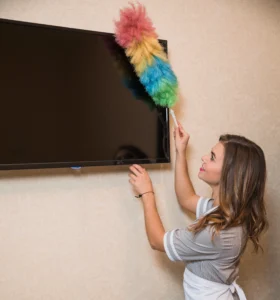
An LCD screen TV is the centerpiece of a living room for your entertainment purposes. It gives an immersive experience. But over time, dust, fingerprints, and smudges can cloud that picture-perfect view. Unlike old-fashioned glass TV screens, LCD displays are delicate and require special care. Cleaning your LCD tv often got dropped from your house cleaning routine.
If you are wondering how to clean LCD TV, you’re at the right place. With years of experience in professional house cleaning in Langley, we know that using the wrong method or product can cause streaks, scratches, or even long-term damage. That’s why we’ve this simple guide to help you clean your LCD screen the right way including all the steps. Here, you’ll find effective techniques, expert tips, mistakes to avoid to keep your LCD TV spotless and functioning at its best.
Even if you follow this guide, taking the help of professional house cleaning services in Langley can be beneficial for maintaining the longevity of delicate surfaces.
Why LCD Screens Need Special Care
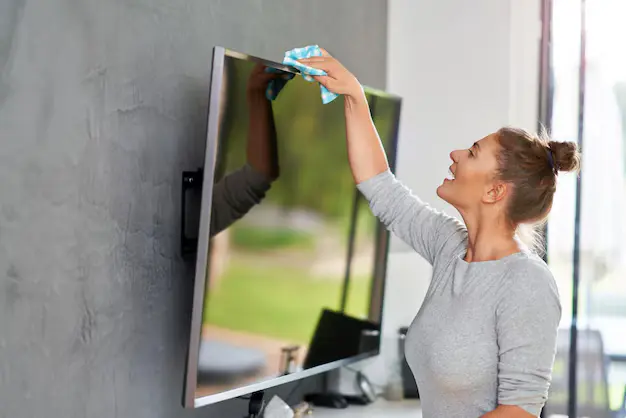
Knowing how to clean TV screen is not the only solution, it needs proper care as well. Your LCD TV is not only just an entertainment device, it’s a delicate piece of technology that requires special care. Unlike older televisions, LCD screens are designed with advanced layers and coatings that deliver crisp visuals and vibrant colors, but these same features make them far more sensitive to damage.
According to Display Supply Chain Consultants, nearly 15% of LCD screen failures are due to improper cleaning.
Improper cleaning methods are one of the leading causes of premature screen damage in modern TVs, as the delicate anti-glare and protective coatings on LCD panels are highly sensitive to harsh chemicals and abrasive cloths.
Knowing why these screens need special care, will help you clean them safely without compromising image quality.
1. Delicate Surface
LCD screens are composed of ultra-thin, layered panels that hold the liquid crystal display. These layers are not only lightweight but also very sensitive to pressure and scratches. Even the slightest scratch can create permanent marks or distort the image. Pressing too hard or using a rough cloth can cause subtle twisting,damage the pixels, or can even cause uneven brightness. That’s why cleaning must be done with minimal pressure and using only soft, lint-free materials.
2. Anti-Glare and Protective Coatings
Modern LCD TVs come with specialized coatings to improve the viewing experience such as anti-glare layers to reduce reflections or filters that enhance color vibrancy. While these coatings are thin and nearly invisible, they are extremely vulnerable to harsh cleaning chemicals like ammonia, alcohol, or high solutions. Once damaged, these coatings cannot be repaired or replaced easily, leaving your screen permanently damaged. It’s essential to have manufacturer-approved cleaning solutions to clean your lcd tv or simply distilled water with a microfiber cloth.
3. Attract Dust
One unique trait of LCD screens is their tendency to attract dust through static electricity. This static charge can pull in tiny particles from the air, which may seem harmless at first. However, if you wipe the screen without removing the static or without proper technique, these particles can act like fine sandpaper, dulling the display over time. Gentle, non-abrasive dusting methods and anti-static microfiber cloths help prevent this damage while keeping your screen spotless.
The secret to a long-lasting, crystal-clear LCD screen lies in understanding its design. Protective coatings, static build-up, and delicate layers require a gentle approach. From our experience, a little extra care with the proper tools keeps your screen looks new, ensuring you enjoy flawless visuals and extend the life of your LCD TV.
How to Clean an LCD TV without Damaging the Display: Step-by-Step Guide
Things You’ll Need to Clean Your LCD Screen Safely
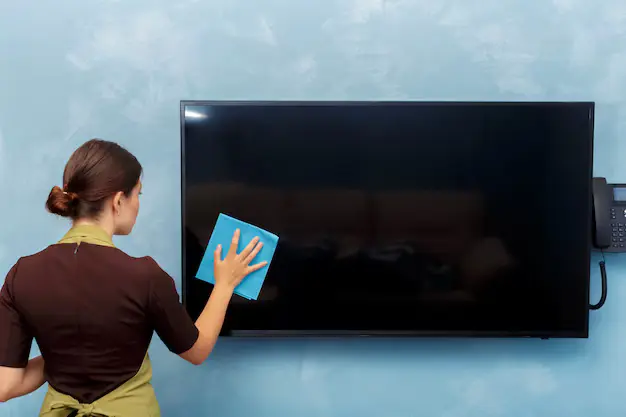
Before you begin with the steps of how to clean LCD TV screen, it’s important to gather the right tools and materials. Using the wrong cloth or solution can cause scratches, streaks, or even permanent damage to your TV. Here’s what you’ll need:
- Microfiber Cloth (Lint-Free and Soft)
A high-quality microfiber cloth is essential because it traps dust without scratching the surface. Avoid paper towels, tissues, or regular fabric—they can leave lint and micro-scratches behind.
- Distilled Water
Tap water often contains minerals that can leave white spots or streaks on your screen. Distilled water is free of these impurities, making it the safest choice for everyday cleaning.
- Isopropyl Alcohol (70% or Less)
Ideal for removing stubborn spots, greasy fingerprints, or sticky residues. Always dilute with distilled water to a 50/50 ratio for LCD-safe use. Avoid higher concentrations, as they can damage anti-glare or protective coatings.
- Screen-Safe Cleaning Solution
Commercial cleaners designed for electronics are pre-mixed to be safe for LCD, LED, and OLED screens. If you choose this option, ensure it’s labeled as “screen-safe” and free from ammonia, acetone, or vinegar.
Step 1: Turn Off and Unplug the TV
Always start by turning off your TV and unplugging it from the power source. A turned-off screen is easier to clean because smudges, streaks, and dust are more visible on a dark surface. More importantly, this step eliminates any risk of electrical shock and prevents moisture from coming into contact with active circuits.
Step 2: Remove Loose Dust First
Before using any cleaning solution, gently remove surface dust. Use a dry microfiber cloth and wipe in one consistent direction either from top to bottom or side to side to avoid redistributing dirt.
If there’s stubborn dust trapped around the screen edges or near ventilation ports, use compressed air in short, controlled bursts. This helps dislodge particles without physical contact, reducing the risk of scratches.
Step 3: Prepare Your Cleaning Solution
For safe LCD cleaning, you have two tried-and-tested options:
- Distilled water only – Perfect for light, everyday cleaning and safe for all screen types.
- 50/50 mix of distilled water and isopropyl alcohol (70% or less) – Ideal for tackling greasy smudges, fingerprints, or light grime.
Warning: Never spray liquid directly onto the screen. Always apply it to the cloth first, as direct spraying can allow moisture to seep inside the panel and damage delicate components.
Step 4: Dampen the Microfiber Cloth (Not the Screen)
Take a clean, lint-free microfiber cloth and lightly dampen it with your chosen solution. The cloth should feel slightly moist. It should not be dripping wet.
Too much liquid can leave streaks, and worse, seep into the edges of the screen, potentially causing irreversible internal damage.
Step 5: Wipe the Screen Gently
Use soft, steady motions—either small circles or gentle horizontal/vertical strokes—to clean the surface. Avoid applying strong pressure, as this can damage the liquid crystal layer or cause pixel distortion. Let the cloth do the work, and repeat passes if needed rather than scrubbing hard.
Step 6: Dry and Inspect
Once the screen is clean, take a dry section of the microfiber cloth to remove any remaining moisture.
Inspect the screen under bright, indirect lighting to check for streaks or missed spots. If you find any, a quick light wipe with the dry cloth should take care of them.
Pro Tip: To keep your LCD screen looking spotless for longer, dust it weekly with a dry microfiber cloth and avoid placing the TV in areas with high humidity or direct sunlight.
By using gentle tools and these steps for how to clean lcd tv, you can keep your TV free from dust, smudges, and streaks without risking damage to its delicate layers. A little regular maintenance helps in preserving image clarity and prolonging the life of your lcd display.
Common Mistakes to Avoid When Cleaning an LCD TV
Over time, we’ve seen how small cleaning mistakes like using paper towels, glass cleaners, or rough cloths can quietly damage an LCD screen. These habits may seem harmless in the moment, but they can scratch the surface, wear down protective coatings, and shorten the life of your TV. With the right tools and a gentler approach, you can maintain a spotless screen, protect your investment, and enjoy crystal-clear picture quality for years.
Using Paper Towels or Tissues
While they may seem convenient, paper towels and tissues are too abrasive for delicate LCD surfaces. They can create micro-scratches that dull the screen over time, and their fibers leave lint behind, making your screen look even dirtier after cleaning. Always opt for a soft, lint-free microfiber cloth designed for electronics.
Spraying Cleaner Directly on the Screen
Spraying liquid straight onto the screen may seem faster, but it’s risky. Excess liquid can run down into the screen frame and seep into the internal components, potentially causing short circuits or permanent display damage. Instead, spray your cleaner onto the cloth first, and then gently wipe the screen.
Using Harsh Chemicals
Products containing ammonia, acetone, bleach, or strong solvents—like some glass and window cleaners—are not safe for LCD screens. These chemicals can strip away the protective anti-glare and anti-reflective coatings, leaving the surface vulnerable to further damage. Always use distilled water, a diluted isopropyl alcohol mix, or a screen-safe cleaner specifically made for electronics.
Pressing Too Hard
Applying too much pressure when wiping the screen can cause pixel distortion, uneven brightness, or even dead spots in your display. The liquid crystal layer in LCDs is highly sensitive to pressure. Let your cloth and cleaning solution do the work, using light, even strokes instead of force.
Avoiding these mistakes is just as important as following the right cleaning steps. LCD TVs are an investment, and their delicate surfaces require care and patience. By steering clear of harsh materials, excessive moisture, strong chemicals, and heavy pressure, you’ll protect your screen’s clarity and extend its lifespan—ensuring your viewing experience stays as sharp and vibrant as the day you brought it home.
The Safest Way to Clean Any TV Screen — LCD, LED, OLED & More
No matter what kind of TV you own—LCD, LED, OLED, or Plasma—the right cleaning method is essential to preserve picture quality and protect delicate coatings. While different screen types may have unique features, they all share one thing in common: they’re vulnerable to scratches, streaks, and chemical damage if cleaned improperly.
Here’s the universal safe method:
- Turn off and unplug your TV – This keeps you safe and makes dust and smudges easier to see.
- Use a dry microfiber cloth first – Gently remove surface dust without pressing too hard.
- For stubborn spots – Lightly dampen the cloth with distilled water or a 50/50 mix of distilled water and isopropyl alcohol (70% or less).
- Never spray directly onto the screen – Always apply liquid to the cloth first.
- Wipe gently in straight lines or soft circles – Avoid pressing down to prevent pixel damage.
- Dry immediately with a clean section of the cloth – This prevents streaks and moisture from lingering.
💡 Extra Care Tip: OLED screens in particular are more sensitive to pressure and moisture, so use the lightest possible touch and minimal liquid.
By following these simple steps, you can safely clean any type of TV screen, keep your visuals crystal clear, and extend the life of your home entertainment centerpiece.
Best Practices for LCD Screen Care
Keeping your LCD TV clean is about maintaining picture quality and extending the lifespan of your display. By adopting the right habits and using proper tools, you can keep your screen free from dust, smudges, and potential damage. Here are some simple yet effective best practices to follow:
Clean Regularly but Gently
A light weekly dusting with a dry microfiber cloth prevents dust buildup, which can attract more dirt and make deep cleaning harder. Regular care also reduces the need for frequent wet cleaning, minimizing the risk of moisture damage.
Keep Hands Off the Screen
Avoid touching the screen with your fingers, as the natural oils from your skin can leave smudges that are difficult to remove. Over time, these oils can attract dust and degrade the screen’s protective coatings.
Control Your Environment
Reducing airborne dust is key to keeping your TV cleaner for longer. Using an air purifier in the room can help, especially if your TV is in a high-traffic area or near windows where dust and pollen enter.
Good LCD screen care is all about consistency and caution. By dusting regularly, avoiding unnecessary contact, controlling your environment, and keeping your cleaning tools in top condition, you’ll protect your TV’s delicate surface and enjoy sharp, vibrant visuals for years to come.
Tip: Bedroom Cleaning is not the only
Cleaning TV Frame and Remote Control
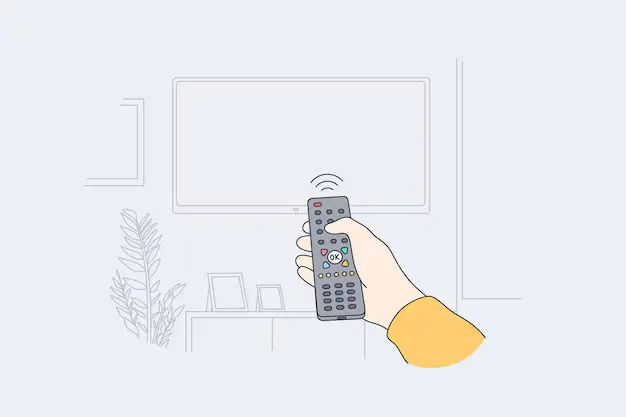
While the LCD screen is the most delicate and attention-demanding part of your TV, the frame and remote control also deserve regular cleaning. Dust, fingerprints, and germs can easily accumulate on these surfaces, affecting both appearance and hygiene. Giving them a quick clean not only makes your setup look fresh but also helps maintain a healthier environment.
Frame / Bezel
Use a slightly damp microfiber cloth to gently wipe down the TV’s outer frame. If needed, add a drop of mild dish soap to distilled water for better dirt removal. Avoid letting any moisture drip onto the screen or seep into seams. Dry the frame immediately with a clean, dry cloth to prevent streaks.
Remote Control
Your remote is one of the most frequently touched items in your home—and a hotspot for bacteria and dust. Use an alcohol wipe or a soft cloth lightly dampened with isopropyl alcohol to clean the surface. Pay extra attention to the crevices between buttons by using a cotton swab or a soft-bristled brush to remove trapped dirt. Allow the remote to dry completely before using it again.
Make cleaning the frame and remote part of your regular TV care routine. This not only keeps your entertainment area looking spotless but also reduces germs and allergens—perfect for a cleaner, healthier home viewing experience.
Eco-Friendly Options for Cleaning Your LCD Screen
As a eco-friendly cleaning company, we suggest you to skip commercial cleaners and reduce your environmental footprint, there are safe and sustainable ways to keep your LCD TV looking pristine. These methods are gentle on your screen, safe for your home.
Distilled Water Spray
Distilled water is the simplest and safest cleaning option for LCD screens. It’s completely chemical-free, leaving no streaks or mineral spots. Lightly spray it onto a microfiber cloth (never directly on the screen) for regular dusting and smudge removal.
Diluted White Vinegar (For Glass Bezels Only — Not the Screen)
A 50/50 mix of white vinegar and distilled water is effective for cleaning glass bezels or the TV stand, but never apply it to the LCD screen itself, as the acidity can damage the display’s coatings. Use it sparingly and always wipe with a clean, damp cloth afterward to remove any residue.
Reusable Microfiber Cloths
Opting for washable microfiber cloths instead of disposable wipes not only saves money but also reduces waste. A good microfiber cloth can last for hundreds of washes and still maintain its softness, ensuring scratch-free cleaning every time.
Eco-friendly cleaning is all about using fewer harsh chemicals and more reusable materials while still protecting your TV’s delicate components. With distilled water, safe natural solutions for non-screen parts, and sustainable cleaning tools, you can keep your home entertainment setup spotless without harming the environment.
When to Call in Cleaning Professionals
While regular at-home maintenance can keep your LCD TV and entertainment area looking great, there are times when calling in professionals like Mesh Maids is the smarter choice. Our trained cleaning professionals have the right tools, techniques, and eco-friendly products to handle delicate household items and surrounding areas without risk.
You might want to schedule a professional cleaning when:
- You notice stubborn grime or streaks that won’t go away – Some marks need advanced, screen-safe methods to remove without causing damage.
- Dust buildup is affecting the entire area – We’ll clean not just the screen but also the frame, stand, cables, media consoles, and the space around your TV.
- You want a deep clean – Let us handle every detail while you enjoy more free time.
- You’re preparing for guests or a special event – When you are low on time and need last-minute cleaning.
At Mesh Maids, we go beyond basic cleaning. We care for your home and use only safe, non-toxic cleaning solutions and proven methods to ensure your TV, furniture, and electronics stay in perfect condition, that gives not only your bedroom or living room a shining look, but also makes your home guest inviting. Contact us now for all your house cleaning needs.
Conclusion
Your LCD screen TV is a valuable investment, and proper cleaning ensures it stays sharp, bright, and free from damage. The key is gentleness and the right tools — a soft microfiber cloth, a safe cleaning solution, and careful technique.
Avoid harsh chemicals, direct spraying, and excessive pressure. Instead, follow the simple steps written in this guide.
A clean screen means better viewing experiences, longer-lasting display quality, and a healthier home environment. By making LCD care part of your regular house cleaning, you’ll enjoy every movie night, sports match, and binge-worthy series in crystal-clear quality, without the worry of harming your TV.
And don’t forget to book your cleaning with Mesh Maids whenever you feel overwhelmed.